














India's #1 AI CRM Software for Sales Teams

Automate bulk email campaigns, score leads with AI, manage your sales pipeline visually, and close deals faster — with built-in WhatsApp campaigns, automation workflows, and role-based team hierarchy.

Book Free Demo See How It Works

500+ sales teams trust SalesWave to grow revenue

Trusted by teams at:

Why choose SalesWave — AI CRM Software?

A single AI CRM platform to run high-performing campaigns, manage teams, and measure results. Built for scale and ease of use.

Ads Campaign Management icon — SalesWave CRM

Ads Campaign Management

Create and manage ad campaigns across platforms with full control over budget, status, and performance.

  • Multi-platform campaigns (Meta, Google, etc.)
  • Budget & timeline tracking
  • Direct landing page linking
Drag and drop form builder icon

Drag & Drop Form Builder

Create high-converting forms with a no-code builder and publish instantly with unique URLs.

  • Dynamic fields (JSON-based engine)
  • Public form URLs
  • Custom success & redirect flows
Lead capture and tracking icon

Lead Capture & Tracking

Capture every lead with rich metadata and track user behavior across forms and campaigns.

  • Store responses with JSON data
  • IP, device & user tracking
  • Real-time submissions
Campaign to form funnel mapping icon

Campaign → Form Mapping

Connect ads, email campaigns, and forms into one unified funnel system.

  • Auto-generated landing URLs
  • Track campaign-wise leads
  • End-to-end funnel visibility
Kanban sales pipeline management icon

Kanban Pipeline & Lead Management

Move leads across stages and manage your lead generation pipeline visually with drag-and-drop.

  • Custom lead stages
  • Drag-drop Kanban board
  • Lead status tracking
Built-in team chat collaboration icon

Built-in Team Chat

Collaborate with your team in real-time without leaving the platform.

  • 1:1 conversations
  • Message history
  • File sharing support
CRM meeting scheduler icon

Meeting Scheduler

Schedule, track, and manage meetings directly from your CRM.

  • Meeting links & platforms
  • Follow-up scheduling
  • Meeting outcomes & feedback
WhatsApp campaigns CRM icon

WhatsApp Campaigns

Run WhatsApp campaigns with tracking, templates, and delivery insights.

  • Template-based messaging
  • Delivery & read tracking
  • Incoming message handling
Real-time CRM notifications icon

Notifications System

Stay updated with real-time alerts across campaigns, leads, and team activities.

  • In-app notifications
  • Activity alerts
  • User-specific updates
Custom fields engine icon

Custom Fields Engine

Fully dynamic system to extend any module with custom fields.

  • Add fields to any table
  • JSON-based flexibility
  • No schema changes required
Audit logs and CRM security icon

Audit Logs & Security

Track every change and ensure data transparency across your system.

  • Change logs for all records
  • User activity tracking
  • Session & risk monitoring
Sales automation workflows icon

Automation & Workflows

Automate repetitive tasks and streamline your entire email automation funnel.

  • Auto lead assignment & routing
  • Trigger-based actions
  • Follow-up automation & reminders

How SalesWave Works

A straightforward flow: import → design → schedule → analyze → optimize. Get started in under 10 minutes.

Step 1 — Import contacts

Bulk import via CSV, Excel, or via integrations (CRM, Google Sheets). Auto-validate emails and deduplicate contacts.

Step 2 — Build campaigns

Create sequences, pick templates, personalize with dynamic tags, and preview on desktop & mobile.

Step 3 — Schedule & send

Send immediately or schedule using timezone-smart delivery so recipients receive emails at ideal local times.

Step 4 — Track & optimize

See opens, clicks, replies and conversions. Get AI tips to improve subject lines, content and timing.

SalesWave email automation workflow diagram showing campaign setup, scheduling and analytics

AI Lead Scoring — Know Who to Call First

SalesWave's AI engine automatically assigns a 0–100 score to every lead based on engagement signals, so your team focuses on the hottest opportunities and never wastes time on cold leads.

🔥 Hot Leads Today

Rahul Sharma
TechCorp — Opened 4 emails, clicked CTA
92
Priya Menon
GrowthIO — Attended demo, replied
87
Amit Verma
SalesMint — Filled form, opened twice
74
Sneha Patel
LeadFuse — Opened email once
41

⚙️ Scoring Rules Engine

Email opened+5 pts
CTA clicked+10 pts
Form submitted+20 pts
Demo attended+30 pts
Replied to email+15 pts
No activity (30d)−10 pts
Backend field: lead.ai_score — updated in real-time via Django signals on every engagement event.

Visual Kanban Sales Pipeline

Drag and drop leads across stages. See your entire lead generation pipeline at a glance and never let a deal fall through the cracks.

New 4
Rahul Sharma
TechCorp · Inbound
🔥 Score 92
Sneha Patel
StartupX · WhatsApp
⚡ Score 68
Contacted 3
Priya Menon
GrowthIO · Email
🔥 Score 87
Qualified 5
Amit Verma
SalesMint · Form
⚡ Score 74
Deepak Roy
FinEdge · Ad
⚡ Score 65
Demo Booked 2
Neha Joshi
CloudBase · Referral
🔥 Score 89
Proposal 2
Vikram Singh
MetaRetail · Email
⚡ Score 71
Won 6
Anjali Mehta
DataFirm · Pro Plan
🔥 Score 95

↔ Scroll to see all pipeline stages · Full drag-drop available in app

Activity Timeline — Full Lead History

See every touchpoint with a lead — emails sent, opens, clicks, meetings, WhatsApp messages — all in one chronological feed.

Rahul Sharma — TechCorp

Email sent — "Q2 Sales Automation"
Today 9:02 AM · Campaign: Q2 Outreach
Email opened — 3 times
Today 9:45 AM · Subject: Q2 Sales Automation
CTA clicked — "Book Demo"
Today 9:47 AM · Landing: /demo
Demo meeting booked
Today 10:00 AM · Zoom · 30 min

Email Events Tracked

Opens, clicks, replies, bounces, and unsubscribes — all logged with timestamp and IP for full audit trails.

WhatsApp Messages

Outbound WhatsApp campaign messages, delivery status, and read receipts surfaced in the same timeline.

Meetings & Calls

Scheduled demos, calls, and outcomes are logged against the lead record, visible to managers in real time.

AI Insights per Lead

AI highlights the best next action — "Follow up now", "Send pricing", or "Schedule demo" — based on timeline data.

Role-based Hierarchy & Permissions

A clear structure to control access, reporting and responsibilities across your organization. Perfect for startups and enterprise teams alike.

SalesWave team hierarchy diagram showing Organisation, Admin, Senior Manager, Manager and User roles
Organisation

Top-level workspace: houses multiple admins, branding, API keys, and organization-wide settings.

Admin

Can invite Senior Managers, configure SMTP/integrations, set security policies and oversee billing.

Senior Manager

Oversees many managers. Can view aggregated metrics, run cross-team reports, and reassign campaigns.

Manager

Operates a specific team. Creates campaigns, manages mailing lists, assigns tasks to users.

User

Executes day-to-day tasks: uploads contacts, starts sequences, monitors inbox replies and updates CRM records.

Data security

Limit visibility by role to protect PII and maintain compliance.

Scalability

Scale from single team to enterprise smoothly without changing workflows.

Accountability

Activity logs and audit trails keep track of every action.

Smart Email Automation & Workflows

Automation that saves time and improves engagement — from timezone sending to follow-up sequences. The core of every email automation tool you need.

SalesWave smart automation workflow and timezone email scheduling illustration

Timezone-based delivery

Your campaign recipients receive emails at optimal hours in their local time zone — improving open & reply rates dramatically.

Follow-up sequences

Set conditional steps — e.g., if a recipient doesn't open, send a different subject; if they reply, stop the sequence automatically.

Reply & inbox tracking

Replies are automatically captured and logged. Route replies to the right manager or user and trigger follow-up tasks.

AI optimization

Get actionable recommendations on subject lines, best sending windows, and audience segments to target next.

Time saved

Automate repetitive work and free your team for high-value tasks.

Better insights

Automated tracking improves the accuracy of your analytics.

Higher conversions

Right message, right time — higher conversion rates.

Deep-Dive: What Makes SalesWave Different

Every feature is built around real sales workflows — not generic CRM checklists. Here's what sets SalesWave AI CRM apart from standard tools.

AI Email Writer

Generate personalized cold emails, follow-ups, and LinkedIn messages in seconds. The AI uses the lead's name, company, industry, and recent activity to craft hyper-personalized outreach — no more blank screen syndrome for your reps.

Data Masking (Role-Based)

Admins see full lead data including phone numbers, email addresses, and deal values. Managers and users see masked fields (e.g., r***@gmail.com) — protecting PII and ensuring compliance with data privacy regulations.

REST API Access

SalesWave exposes a full REST API for developers. Connect to your own dashboards, import leads from external systems, trigger campaigns programmatically, or pull analytics into your BI tool.

GET /api/leads/?score__gte=80&stage=qualified # Returns hot qualified leads for your team POST /api/campaigns/launch/ # Trigger a campaign programmatically GET /api/analytics/?period=30d # Pull 30-day campaign performance data

Zapier & Webhook Integrations

Connect SalesWave to 5,000+ apps via Zapier — no code required. Or use outbound webhooks to push lead events, campaign completions, and form submissions to any URL in real time.

Multi-Team Management

Run multiple teams from a single SalesWave workspace. Each team has isolated leads, campaigns, and performance reports while Admins maintain global visibility — ideal for agencies, channel partners, and enterprise sales orgs.

Advanced Reporting & Exports

Generate performance reports by campaign, team, date range, or stage. Export to CSV, PDF, or push to your BI stack via API. Scheduled reports land in your inbox automatically every Monday morning.

WhatsApp Business API

Send WhatsApp broadcasts using approved templates. Track delivery rates, read receipts, and responses directly inside SalesWave — no switching to WhatsApp Business Manager. Works alongside your email campaigns for multi-channel outreach.

Integrations & API Ecosystem

Connect SalesWave with the tools your team already uses. Native integrations, Zapier, and a full REST API — your CRM at the center of your stack.

Google Sheets integration icon Google Sheets
Gmail integration icon Gmail
Zapier integration icon Zapier
Slack integration icon Slack
Zoom integration icon Zoom
WhatsApp Business API integration icon WhatsApp API
Microsoft Outlook SMTP integration icon Outlook / SMTP
Webhook REST API icon Webhooks / REST API

What Sales Teams Say About SalesWave

Real results from real teams across India using SalesWave as their AI CRM software and email automation tool.

★★★★★
"We moved from a manual Excel-based process to SalesWave in one week. Our email open rates jumped from 18% to 61% after switching to timezone-optimized sends. The AI lead scoring alone saved our team 3 hours a day."
★★★★★
"The Kanban pipeline and WhatsApp campaign features are game-changers for our real estate team. We manage 200+ leads a week with SalesWave and the team hierarchy keeps everyone accountable. Easily the best CRM for India."
★★★★★
"As a digital agency managing campaigns for 12 clients, SalesWave's multi-team workspace is exactly what we needed. Each client is isolated, reporting is clean, and the API lets us pull data into our own dashboards."

Customer Case Studies

Real-world results from SalesWave customers — numbers verified from 90-day usage reports.

TechVista — SaaS Sales Team

Mumbai · 12-person SDR team
3.4× increase in qualified leads per month
61% email open rate (up from 18%)

TechVista replaced 3 separate tools (Mailchimp, Pipedrive, Freshdesk) with SalesWave. The unified timeline and AI scoring reduced their average lead-to-demo time from 14 days to 5 days.
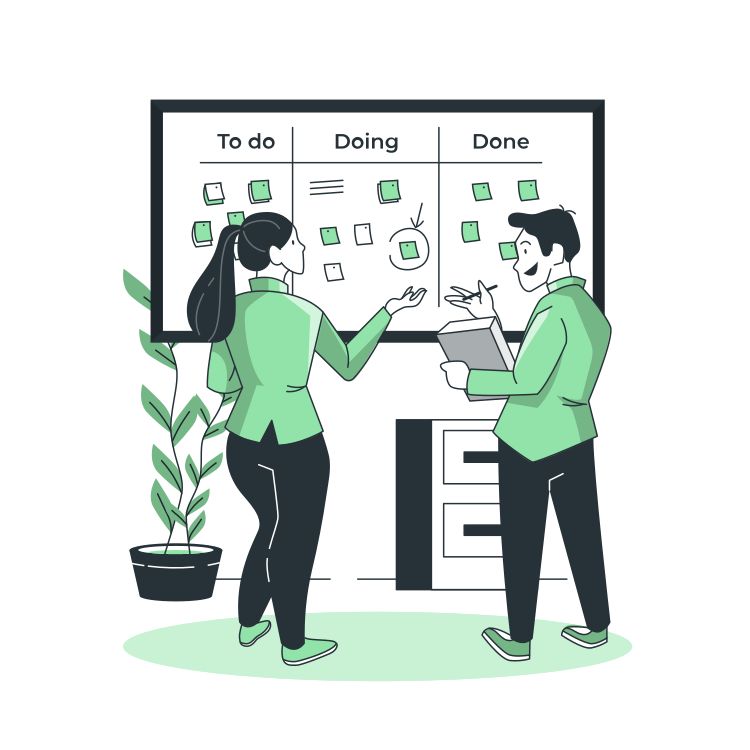
HomeFront Realty — Real Estate

Pune · 40-person sales org
200+ leads managed per week, per team
38% reduction in response time via WhatsApp

HomeFront's sales managers now spend 80% less time on admin tasks. WhatsApp campaigns + email automation run simultaneously for the same lead, boosting engagement dramatically.

GrowthLab Digital — Agency

Bangalore · 12 client accounts
12× clients managed in one workspace
API connected to 4 client BI dashboards

GrowthLab uses SalesWave's multi-team architecture to manage all clients from one admin panel. Each client team is isolated with their own campaigns, leads, and reporting — no data bleed.

Frequently Asked Questions

Everything you need to know about SalesWave — the AI CRM software built for Indian sales teams.

SalesWave is an AI-powered CRM and email automation platform designed for sales teams in India and globally. It combines lead capture, email campaigns, WhatsApp marketing, AI lead scoring, Kanban pipeline management, and team hierarchy controls into a single platform. It's ideal for SDR teams, sales managers, digital agencies, real estate companies, and SaaS startups.
Yes — SalesWave is specifically designed with startups in mind. The Starter plan at ₹999/month gives you everything you need to start capturing and converting leads without enterprise complexity or pricing. You get email automation, form builder, basic CRM, and lead management — perfect for 1-5 person teams.
Yes. SalesWave includes a native WhatsApp Campaign module powered by the WhatsApp Business API. You can send broadcast messages using approved templates, track delivery and read receipts, and view all WhatsApp interactions in the lead's activity timeline — alongside email events, all in one view.
Every lead in SalesWave gets an AI score from 0–100 calculated in real time. The engine adds points for engagement actions (email opens: +5, CTA clicks: +10, form fills: +20, demo attendance: +30, email replies: +15) and deducts for inactivity. Backend: a ai_score field on the Lead model, updated via Django signals on every tracked event. The Kanban view and lead list are sortable by score.
Yes. SalesWave integrates natively with Google Sheets, Gmail, Zoom, and Slack. It also supports Zapier integration (connecting you to 5,000+ apps), outbound webhooks for any custom endpoint, and a full REST API covering leads, campaigns, analytics, and contact management. API documentation is available at dataquells.com/api/docs/.
Mailchimp and similar tools are email marketing platforms — they don't include a full CRM, lead pipeline, team hierarchy, or AI scoring. SalesWave is a complete email automation tool plus CRM — one platform for lead capture, scoring, pipeline management, email and WhatsApp campaigns, team collaboration, and analytics. Purpose-built for sales teams, not marketers.

Book a Free SalesWave Demo

See SalesWave in action — a short personalized walkthrough where we answer product questions, evaluate fit, and show results you can expect. Trusted by 500+ teams across India.

Schedule your demo

Pick a time that works for you — demos are 20–30 minutes and tailored to your goals.

Or log in to schedule from your workspace.
30 min
Concise, demo + Q&A
Personalized
Focus on your use-case
Remote
Zoom / Meet link provided
SalesWave demo session illustration — book a personalized CRM demo